
01
アカウントを自動取得
Capture accounts automatically
「一覧を更新」を押すと、Gmailタブを表示せずにログイン中のアカウントを確認します。
Select “Refresh account list” to detect signed-in accounts without showing a Gmail tab.
Chrome拡張機能Chrome extension
複数のGmailを、迷わずひとつの場所から。ツールバーを開いて、使いたいアカウントへすばやく切り替えられます。
All your Gmail accounts, one clear list. Open the toolbar and jump straight to the account you need.
Googleアカウント情報は端末内に保存され、開発者のサーバーへ送信されません。Your Google account information stays on your device and is never sent to the developer's servers.
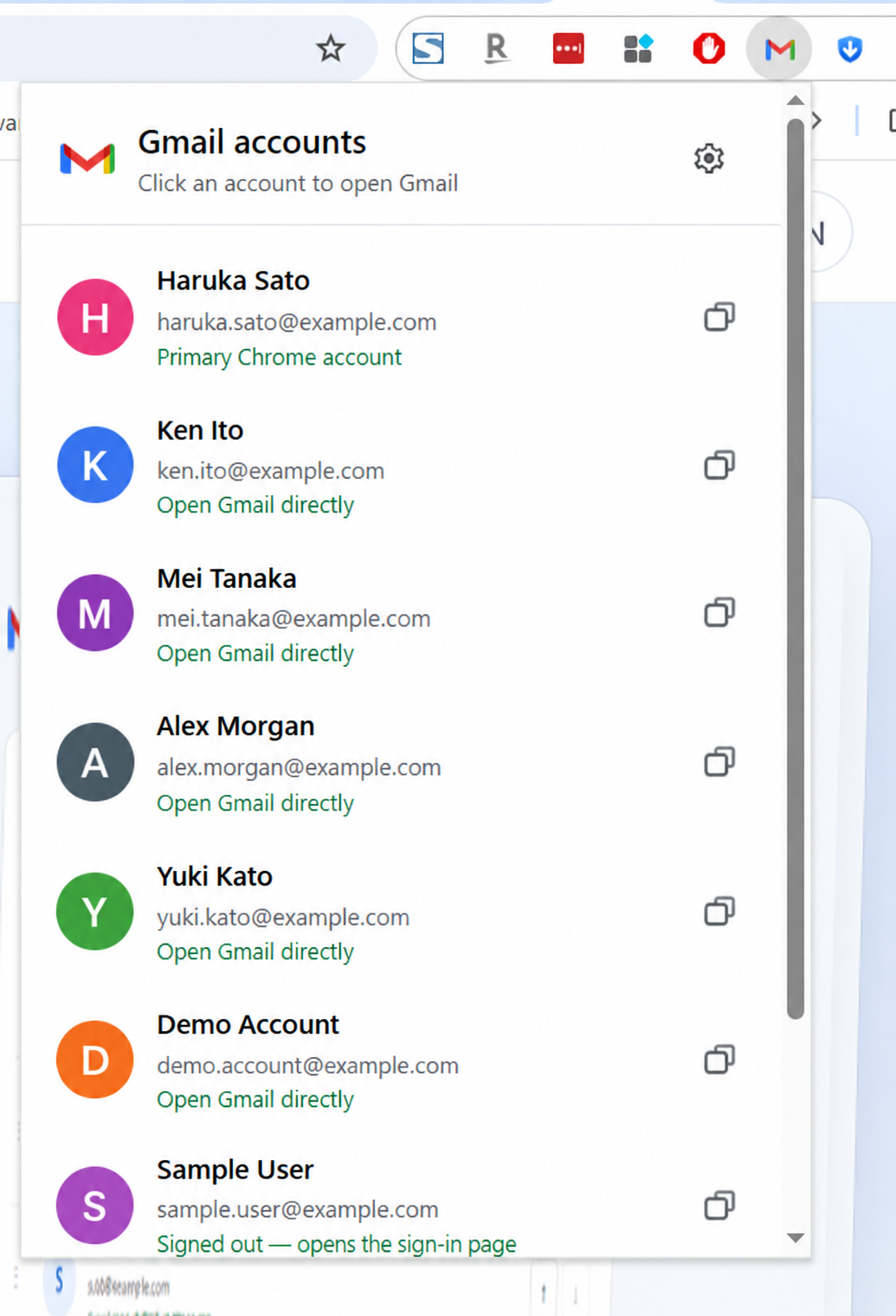
できることWhat it does
毎日使うGmailだから、余計な手順を減らしました。一覧の取得から並び替え、直接表示までを小さなポップアップにまとめています。
Gmail is an everyday tool, so MailSwitch removes the extra steps. Capture, organize, and open your accounts from one compact popup.
「一覧を更新」を押すと、Gmailタブを表示せずにログイン中のアカウントを確認します。
Select “Refresh account list” to detect signed-in accounts without showing a Gmail tab.
アカウント番号や学習したURLを使い、選んだ受信トレイへすばやく移動します。
MailSwitch uses the account number or a learned URL to open the inbox you selected.
ドラッグまたは上下ボタンで、よく使うアカウントを見つけやすい順番に並べられます。
Drag accounts or use the arrow buttons to keep your most-used accounts within easy reach.
使い方How it works
ChromeのツールバーからMailSwitchを開きます。
Open MailSwitch from the Chrome toolbar.
「一覧を更新」を押すと、ログイン中のGmailアカウントが一覧になります。
Select “Refresh account list” to show your signed-in Gmail accounts.
使いたいアカウントを押すだけ。対応するGmailが新しいタブで開きます。
Select the account you need and its Gmail opens in a new tab.
Privacy first
取得した情報はChromeのローカルストレージに保存します。広告や解析には使用せず、第三者へ販売・共有しません。
Captured information is stored in Chrome's local storage. It is not used for advertising or analytics, and is never sold or shared with third parties.